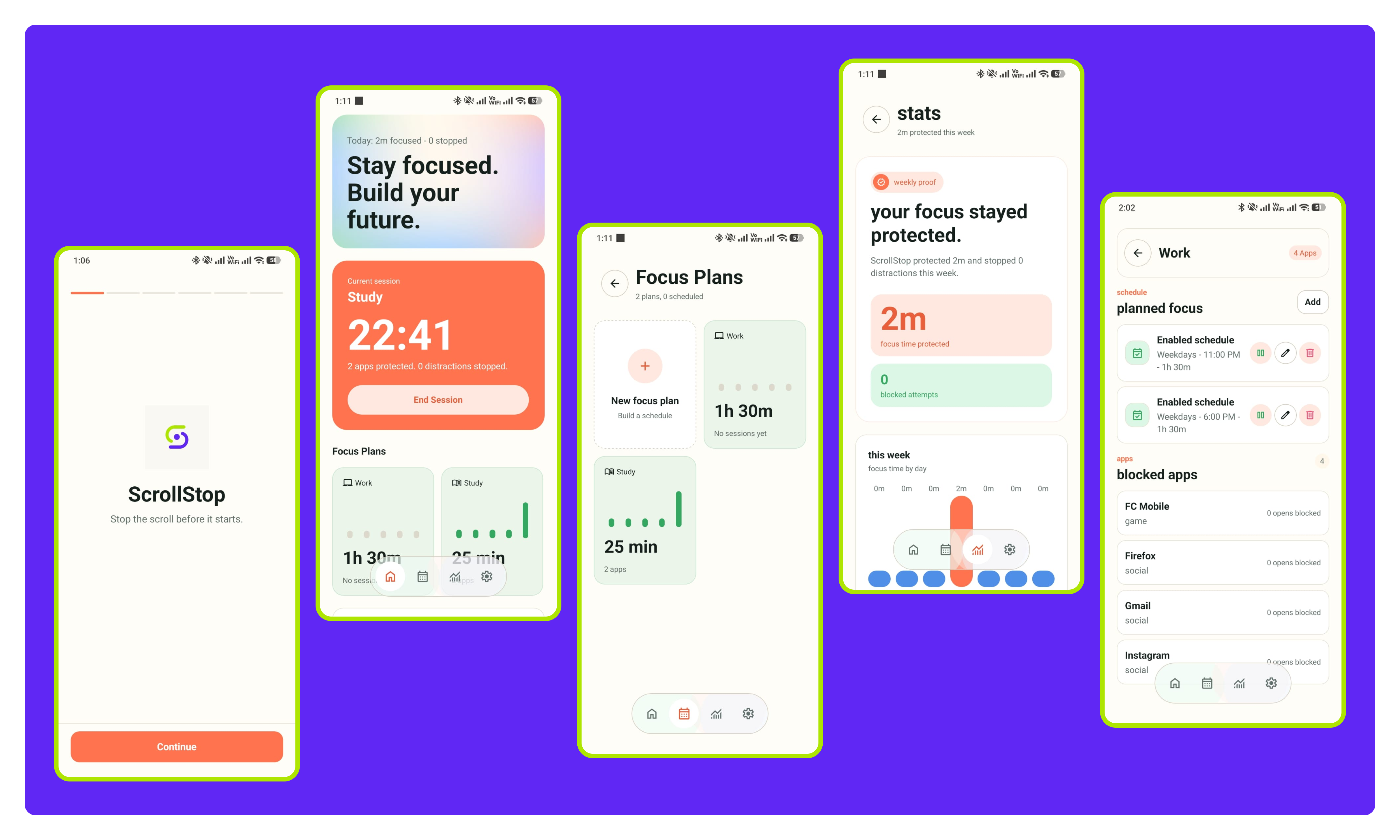
ScrollStop is built for the moment before a study session collapses.
The problem is not that students lack another productivity dashboard. The problem is that opening TikTok, Instagram, YouTube Shorts, or a game can become an automatic thumb movement before the brain gets a vote.
ScrollStop adds friction exactly there. When a Focus Plan is active, selected distracting apps are blocked until the session ends. The goal is not guilt or surveillance. The goal is to protect the study, work, exam, or sleep window the user already chose.
Why This Exists
Most digital wellbeing tools are useful for awareness, but awareness is not always enough. Soft limits can be extended, disabled, ignored, or forgotten. ScrollStop is narrower and more direct: choose the apps, choose the plan, start the session, and let the blocker protect the window.
That focus keeps the product simple. It is not a social feed, AI coach, parental control app, or enterprise monitoring suite. It is a small, reliable lock for the apps that pull attention away at the worst possible time.
Product Direction
The first wedge is simple: exam mode for your phone.
Students need different routines on different days, so ScrollStop uses Focus Plans instead of one rigid mode. Study can be softer and repeatable. Exam can be stricter. Sleep can protect late-night hours. Work can support freelancing, coding, writing, or design. Custom plans cover everything else.
The first version is judged by one question: did the user complete at least one real focus session and see at least one blocked attempt?
That is the moment the product proves itself.
what it does
- Block selected distracting apps during active focus sessions.
- Create different plans for study, exam prep, work, sleep, or custom routines.
- Schedule app blocking by time of day and day of week.
- Track protected focus time, completed sessions, blocked attempts, and most-blocked apps.
- Use a one-time lifetime unlock instead of a recurring subscription.
why it matters
- Focus Plans for Study, Exam, Work, Sleep, and custom routines.
- Manual sessions and scheduled blocking for real student workflows.
- Strictness options that add friction when the habit tries to win.
- Offline-first privacy with no account, ads, or cloud usage dashboard.
privacy notes
- No account required for core app blocking.
- Focus plans, sessions, and blocked attempts are designed to stay on-device.
- Usage Access and Accessibility permissions are requested only to detect and block selected distracting apps.
- No ads and no resale of app activity.

