Turn a Food Photo Into a Beginner-Friendly Recipe
Use CookThis Easy mode to turn a food photo into a simpler recipe with clearer steps, practical cues, and equipment-aware guidance.
By Usama Kashif, founder and lead engineer. Read the full CookThis project context for the product decisions behind this work.
Beginner cooking often fails before the first ingredient is measured.
A dish looks good, but the recipe assumes you understand terms such as reduce, fold, sear, temper, or cook until done. The ingredient list is long, several pans are required, and every substitution seems capable of ruining the result.
CookThis Easy mode is designed to make visual food inspiration less intimidating.
Start With What You Want to Eat
You do not need to know the exact dish name. Take a photo or select an image from the gallery, then add any detail you recognize: spicy noodles, creamy chicken, crisp potatoes, or a chocolate cafe dessert.
The image gives CookThis a target. The optional description helps it choose between visually similar dishes.
Tell CookThis About Your Kitchen
A beginner with one frying pan should not receive the same method as a confident cook with a stand mixer, pressure cooker, and convection oven.
Before generating, set useful context such as:
- beginner cooking ability
- number of servings
- available stovetop, oven, air fryer, or other equipment
- dietary preferences and avoided ingredients
- country or region
- Easy recipe mode
These constraints help the result fit the kitchen that actually exists.
What Easy Mode Prioritizes
Easy mode can make a recipe more approachable by:
- choosing familiar techniques where possible
- explaining important visual and texture cues
- keeping steps in a practical order
- suggesting substitutions for hard-to-find ingredients
- avoiding unnecessary equipment
- making timing and preparation clearer
It does not guarantee that every photographed dish becomes effortless. Some foods remain technically demanding, and a simplified version may differ from the original. The goal is a reasonable first attempt rather than false confidence.
Review Before You Cook
Beginners are less likely to spot a suspicious quantity or missing instruction, so reviewing an AI-generated recipe matters.
Check that every ingredient appears in the method, confirm dietary suitability and allergens, and follow trusted food-safety guidance for meat and other high-risk foods. If a step is unclear, pause before cooking instead of treating the generated text as unquestionable.
Real Example: What a Beginner Actually Sees
Here is a real CookThis result set to Beginner: beef bulgogi for one portion, 15 minutes, in Quick mode. Every step has a tip underneath, and the first one includes a food-safety note: marinate at room temperature for no more than the stated time, or longer in the fridge.
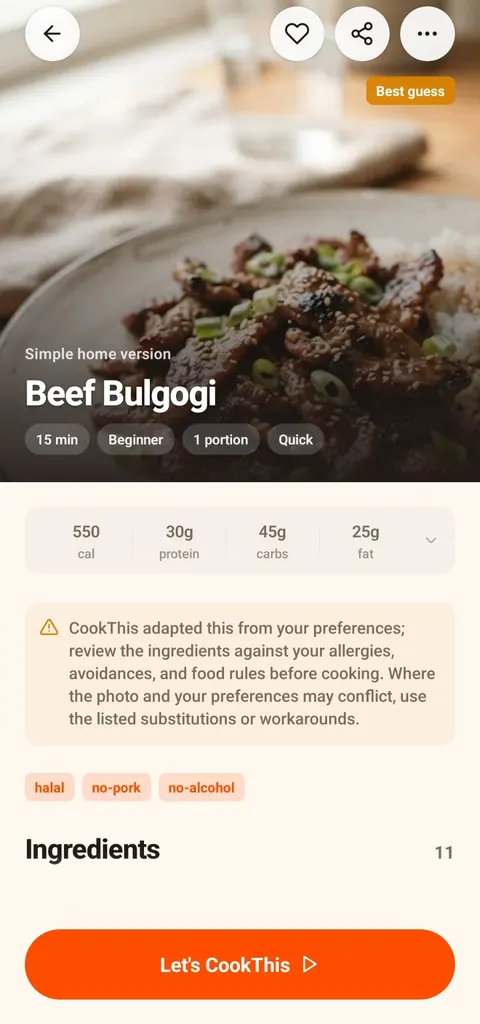
Beginner level, one portion, 15 minutes.
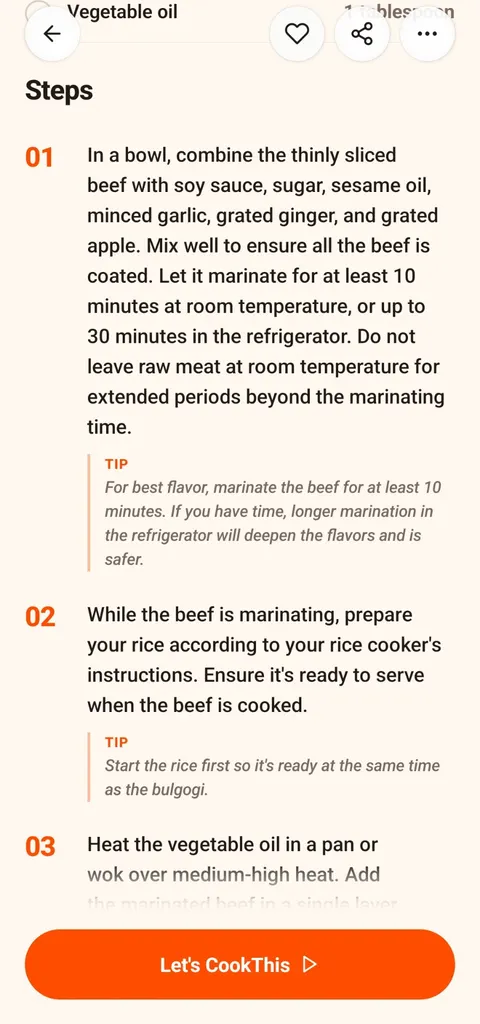
A tip under each step, including food safety for raw meat.
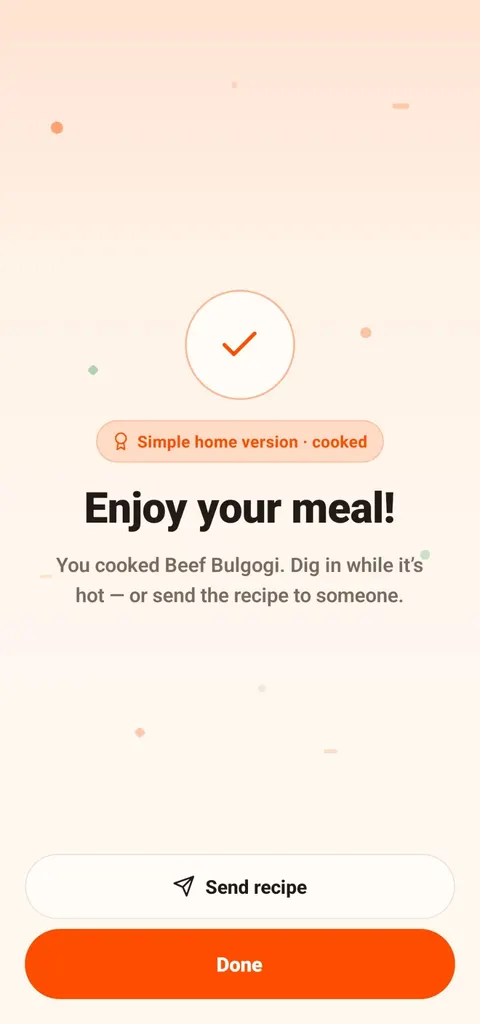
Finished: a clear end point, plus the option to share.
Cooking mode is where beginners benefit most. You see one step at a time in large text, with only the ingredients that step needs and a timer you can start with one tap. Nobody has to scroll a long recipe with oily fingers.
This use case is best for new home cooks who choose food visually but need the path to feel manageable.
CookThis is free to download on Android, with 3 free credits to try it and a weekly or monthly subscription after that. Learn more in how I built CookThis or get the Android app.
frequently asked questions
Can CookThis simplify a difficult-looking dish?
Do I need to know the name of the dish?
Can CookThis adapt a recipe to limited equipment?
related CookThis guides
How to Choose the Best Recipe App for Android
There is no single best recipe app for Android. Match the app type to how you cook: recipe library, recipe manager, pantry finder, or photo to recipe.
How I Built CookThis: An AI Recipe Generator From a Food Photo
A founder's account of building CookThis: how the photo-to-recipe pipeline works, why results are labelled as estimates, and the stack behind the Android app.
Photo to Recipe App for Android, With a Real Example
See exactly what CookThis returns on Android from one food photo: a beef bulgogi recipe with ingredients, steps, nutrition estimates, and cooking mode.
CookThis: See it. Snap it. Cook your version.
CookThis turns restaurant photos, screenshots, and ingredients into practical home recipes on Android. Free to download with 3 free credits to try it.

