How to Get a Recipe From a TikTok Food Video or Screenshot
Saved a TikTok, Reel, or screenshot of food with no recipe? Here is how to turn it into ingredients and steps, and what a video or screenshot cannot tell you.
By Usama Kashif, founder and lead engineer. Read the full CookThis project context for the product decisions behind this work.
To get a recipe from a TikTok food video, first check the caption, the pinned comment, and the creator’s profile link. Many creators post the full recipe there. If there is no recipe, screenshot the clearest shot of the finished dish and turn that image into an estimated home recipe.
The same method works for any saved food screenshot: an Instagram Reel, a delivery-app listing, or a photo someone sent you.
Step 1: Look for the Creator’s Recipe First
Before using any AI tool, spend 30 seconds checking:
- The caption. Expand it. Ingredients are often hidden under “more”.
- The pinned or top comment. Creators often answer “recipe?” there.
- The profile link. Many link to a blog or recipe page.
- On-screen text. Pause the video when ingredients flash past.
If you find the real recipe, use it. That will always be closer to the original than any estimate.
Step 2: Capture the Best Frame
If there is no recipe, you need a good image of the finished food:
- pause on the clearest, best-lit shot of the plated dish
- keep the whole dish in frame, including sides and toppings
- crop out comment panels, buttons, captions, and stickers
- note anything the video said out loud: the dish name, a key ingredient, or the heat level
A screenshot does not need to look professional. It needs to make the food easy to read.
Step 3: Turn the Screenshot Into a Recipe
Bring the screenshot into a photo-to-recipe app, or upload it to an image-capable chatbot, and add what the image cannot show. A short note helps a lot. For example, “spicy garlic noodles from TikTok, dinner for one, one frying pan, beginner” is far more useful than the image alone.
In CookThis on Android, you can either share a supported TikTok link directly or choose the screenshot from your gallery. Then you pick a mode (Quick, Easy, Closest Taste, or Healthier) and get ingredients, steps, and a cooking mode.
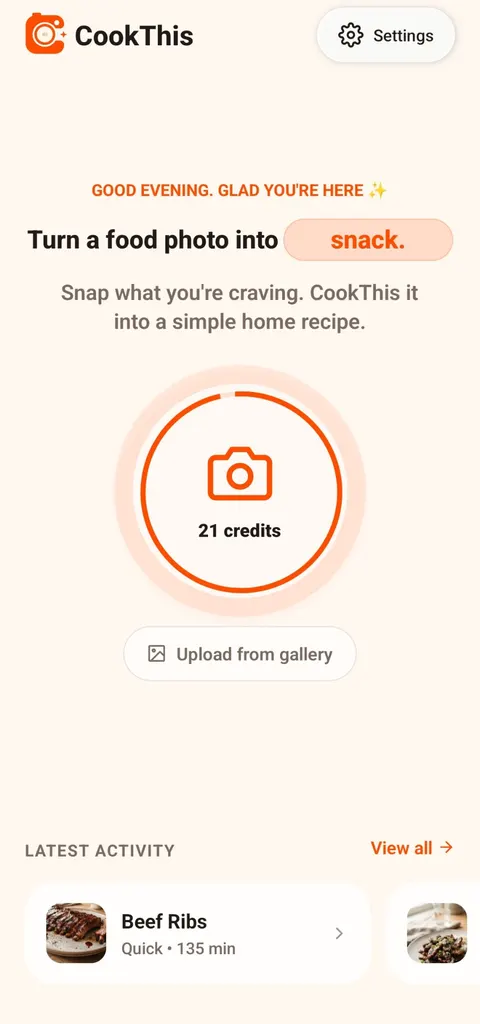
Use "Upload from gallery" for a saved TikTok or Instagram screenshot.
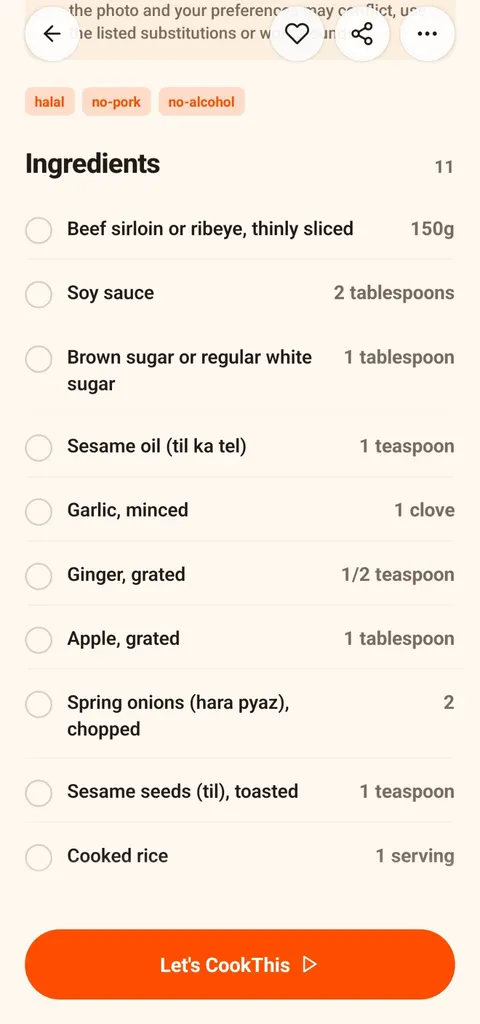
What comes back: an ingredient list with quantities (example: beef bulgogi).
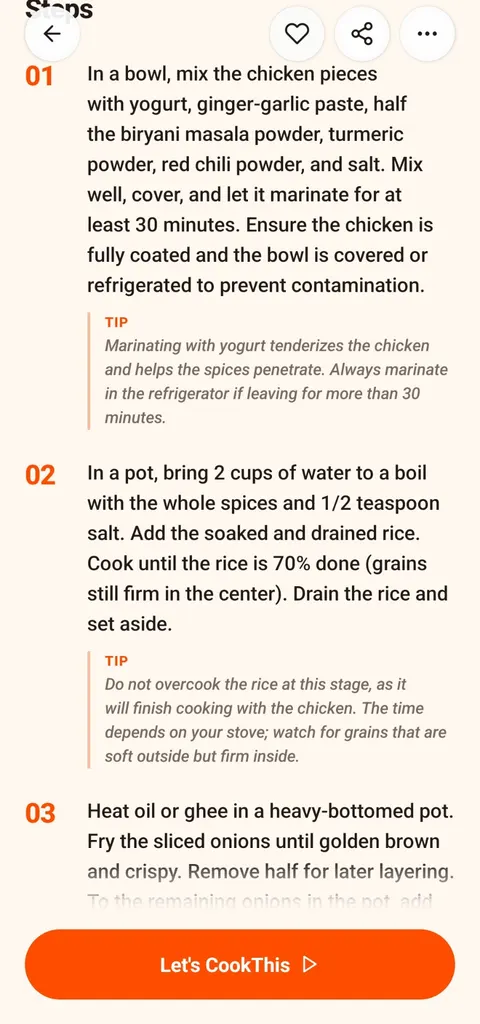
Then numbered steps with tips (example: chicken biryani).
What a Video or Screenshot Cannot Tell You
Short food videos are edited to look good, not to be complete. A screenshot captures one moment. Neither can reliably show:
- marinades or prep done hours earlier
- exact quantities of salt, oil, sugar, or stock
- off-camera steps and cut scenes
- branded sauces or specialist equipment
- allergens
So the result is a practical interpretation, not the creator’s recipe. Cook it once, taste, and adjust.
Screenshot of Food vs. Screenshot of a Recipe
There are two kinds of saved screenshot:
- A screenshot of written ingredients and instructions. Keep the original text and follow it; that is the real recipe.
- A screenshot of a finished dish. This is where a photo-to-recipe app helps, because there is no recipe to read.
CookThis is built for the second kind. It does not try to recover text that was cropped out or never posted.
Make Your Saved Folder Useful
The point is not another saved item. It is a list you can shop for and steps you can follow tonight. Before cooking, check the quantities and timing, confirm allergens and dietary suitability, and use safe cooking temperatures.
CookThis is free to download on Android, with 3 free credits to try it and a weekly or monthly subscription after that. For the other routes from a photo to a recipe, see how to get a recipe from a food photo. If you can’t name the dish at all, start with what is this dish?
Get CookThis on Google Play or view the full project page.
frequently asked questions
How do I get the recipe from a TikTok food video?
Can CookThis create a recipe from a TikTok link?
Does CookThis watch the whole video?
Can I turn any food screenshot into a recipe?
Will the recipe match the creator's exact method?
related CookThis guides
How to Choose the Best Recipe App for Android
There is no single best recipe app for Android. Match the app type to how you cook: recipe library, recipe manager, pantry finder, or photo to recipe.
How I Built CookThis: An AI Recipe Generator From a Food Photo
A founder's account of building CookThis: how the photo-to-recipe pipeline works, why results are labelled as estimates, and the stack behind the Android app.
Photo to Recipe App for Android, With a Real Example
See exactly what CookThis returns on Android from one food photo: a beef bulgogi recipe with ingredients, steps, nutrition estimates, and cooking mode.
CookThis: See it. Snap it. Cook your version.
CookThis turns restaurant photos, screenshots, and ingredients into practical home recipes on Android. Free to download with 3 free credits to try it.

